How to Delete your Account
You have one option(s) to delete your account:
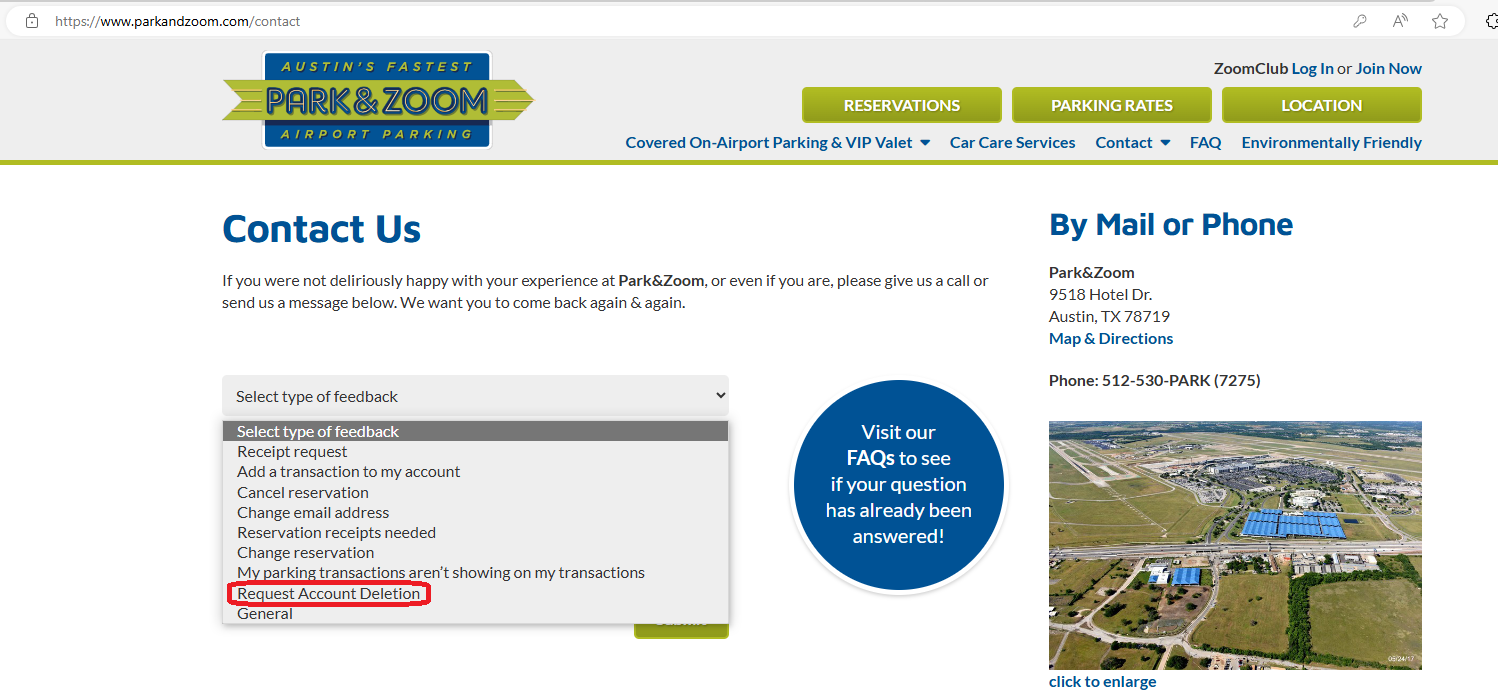
- Click here to go to the contact us page. You can choose the "Request Account Deletion" option and send a request to our site admin to delete your account.
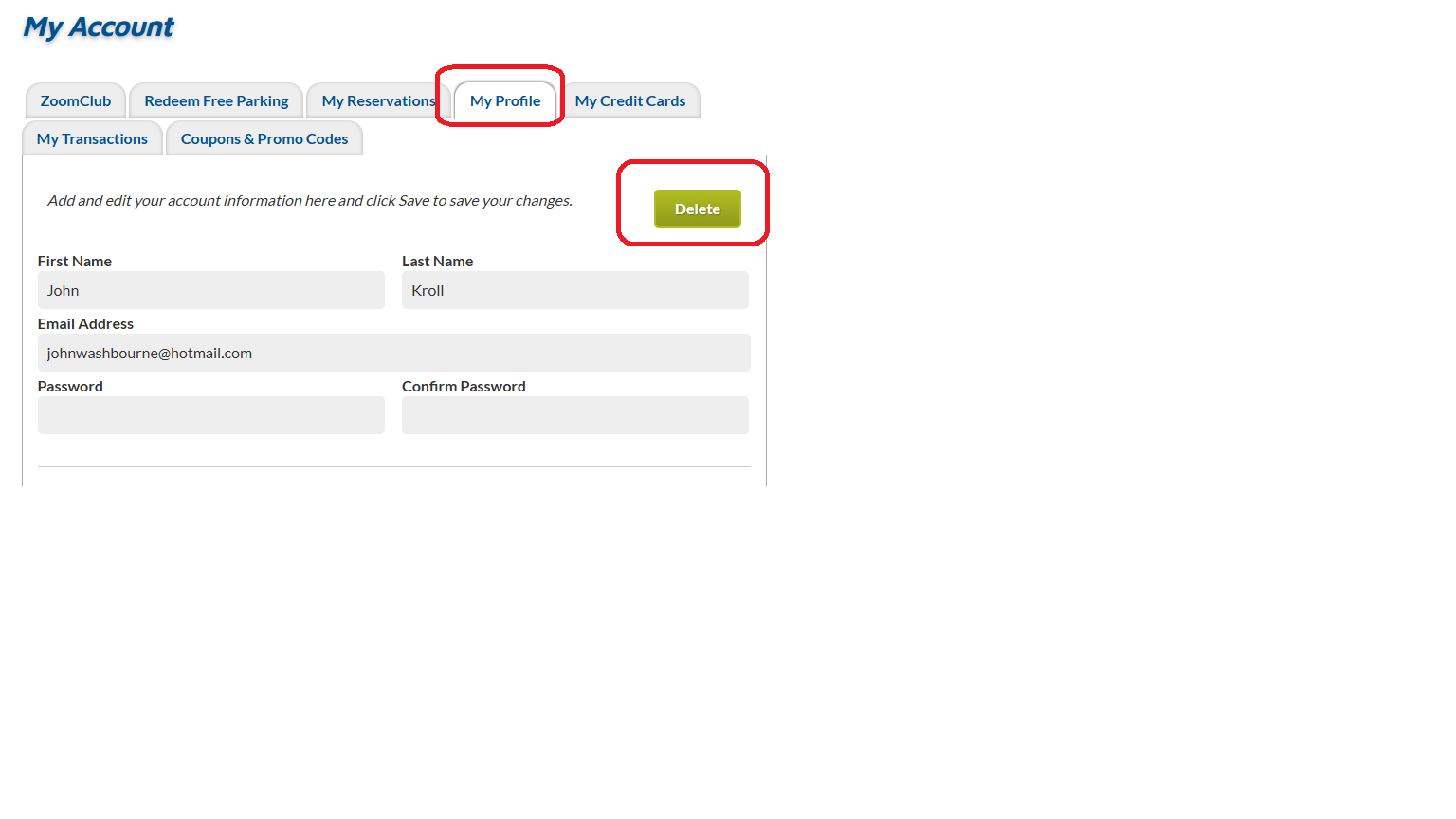
- You can delete your own account by going to login page, sign-in and navigate to your "My Profile" tab. There will be a button to delete account. You will be automatically logged out after data is deleted.
With either option once your account is deleted you will no longer have access to Zoom Club Frequent Rarker Points and all data related to account will be removed.
-->